Deal Room
The Dubai transaction, handled end to end.
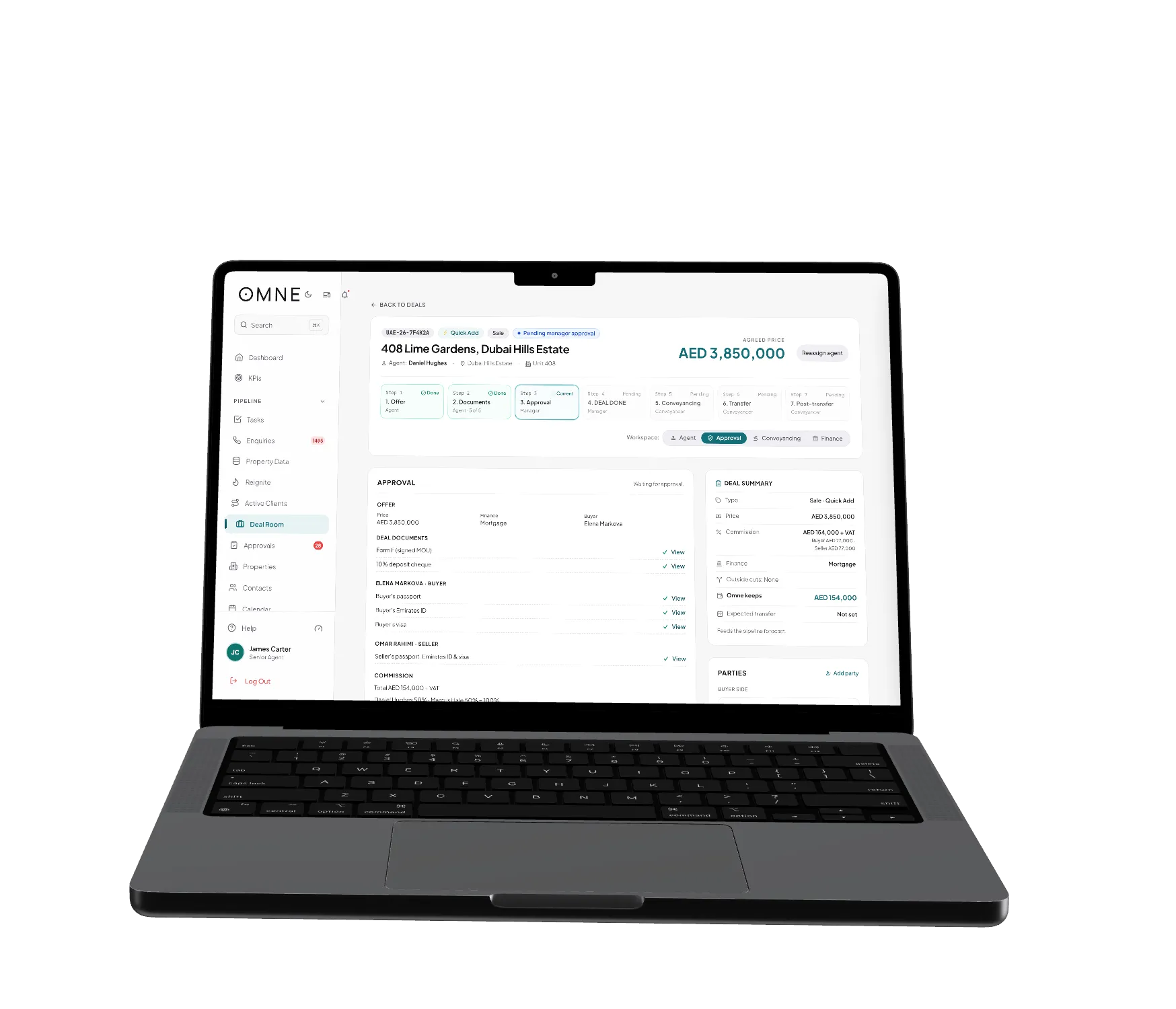
A generic CRM stops at won. That’s where the real work starts. The Deal Room tracks seven steps to the close, holds the parties and documents, and works out the commission split as you go.
The process
Offer to post-transfer, step by step.
- 01
Offer
Offer agreed. The deal opens straight from the listing.
- 02
Documents
Form F, IDs and proof of funds go on the deal.
- 03
Approval
Someone checks it and approves it before it moves on.
- 04
Deal Done
Signed, and on record.
- 05
Conveyancing
The conveyancing desk takes it from here.
- 06
Transfer
Transfer happens at the trustee office.
- 07
Post-transfer
Keys, the last documents, and the commission paid out.
What it does
The bits that usually go missing.
Steps that wait for the paperwork
A step won’t close until its documents are in. No finding out at the last minute that a form is missing.
Everyone on the deal
Buyer, seller, agents and anyone else involved are recorded on the deal. You can invite them to follow it.
Documents against the deal
Each file sits against the step it belongs to. Not somewhere in an email thread.
Commission splits
Commission per side, outside cuts, the agency share and each agent’s split. It starts from your team’s default rates.
A change history
Who changed what on a deal, and when.
E-signature
Pick a PDF form from the listing’s documents and send it for e-signature.
Finance
Commission worked out as you go.
The split is calculated on the deal itself. Finance and the agent look at the same number, and there’s no month-end reconciliation.
- Agency and agent splits on each deal.
- Invoices, payouts and payroll sit alongside.
- The Deal Room is in the iOS and Android apps too.

See it on your brokerage.
We’ll walk you through a real Dubai brokerage scenario as a director, an admin and an agent.