Coming soon
The OMNE phone app: your whole office in your pocket
Leads, listings, deals and your numbers in a real app built for your phone, not a website squeezed onto a small screen. Same login, same live data as OMNE on your desk. Here is a first look.
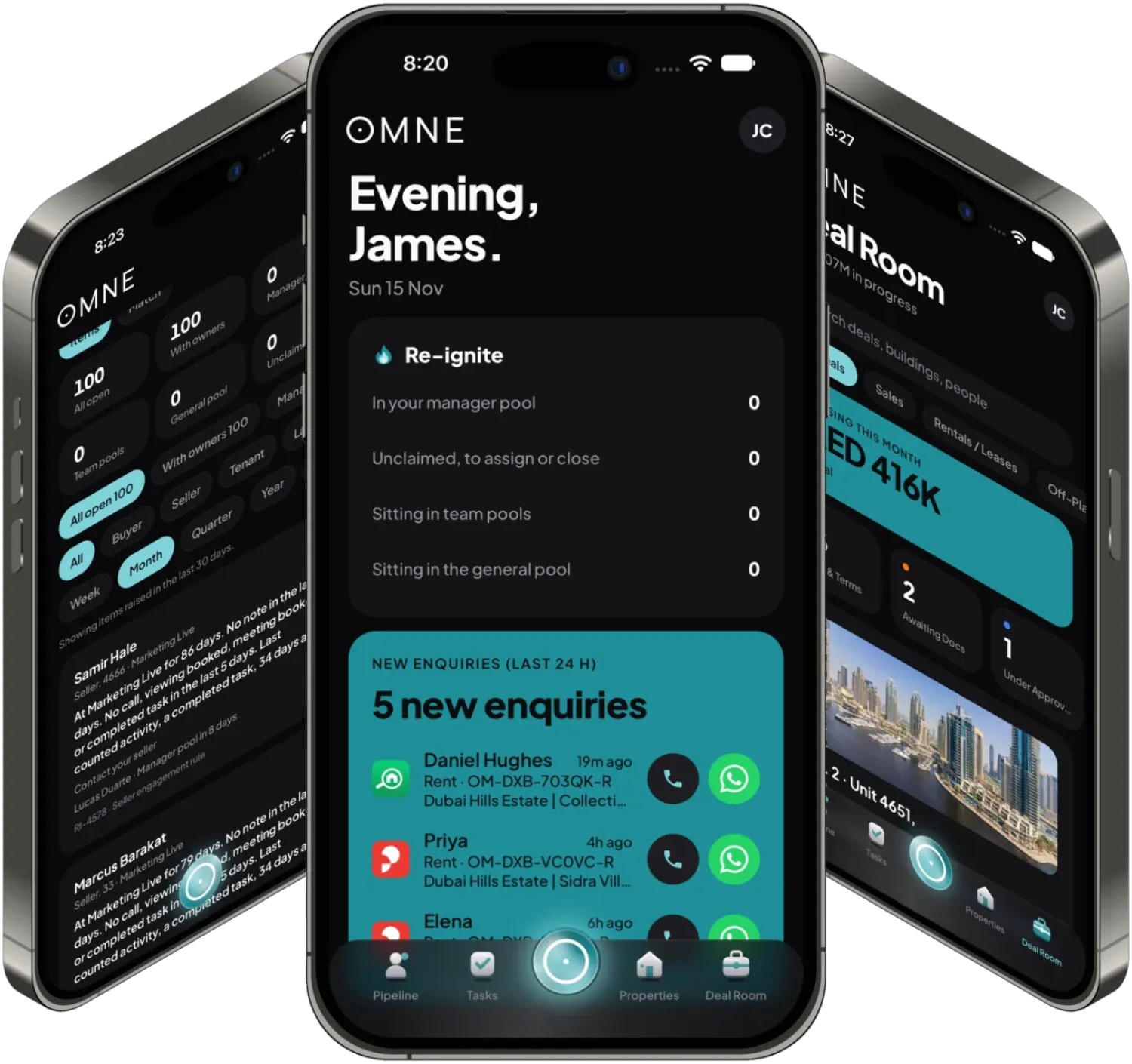
For agents: answer the lead before anyone else does
Your day starts on the Home screen: new enquiries, calls to return, tasks due and today's diary. One tap from any of them to the client.
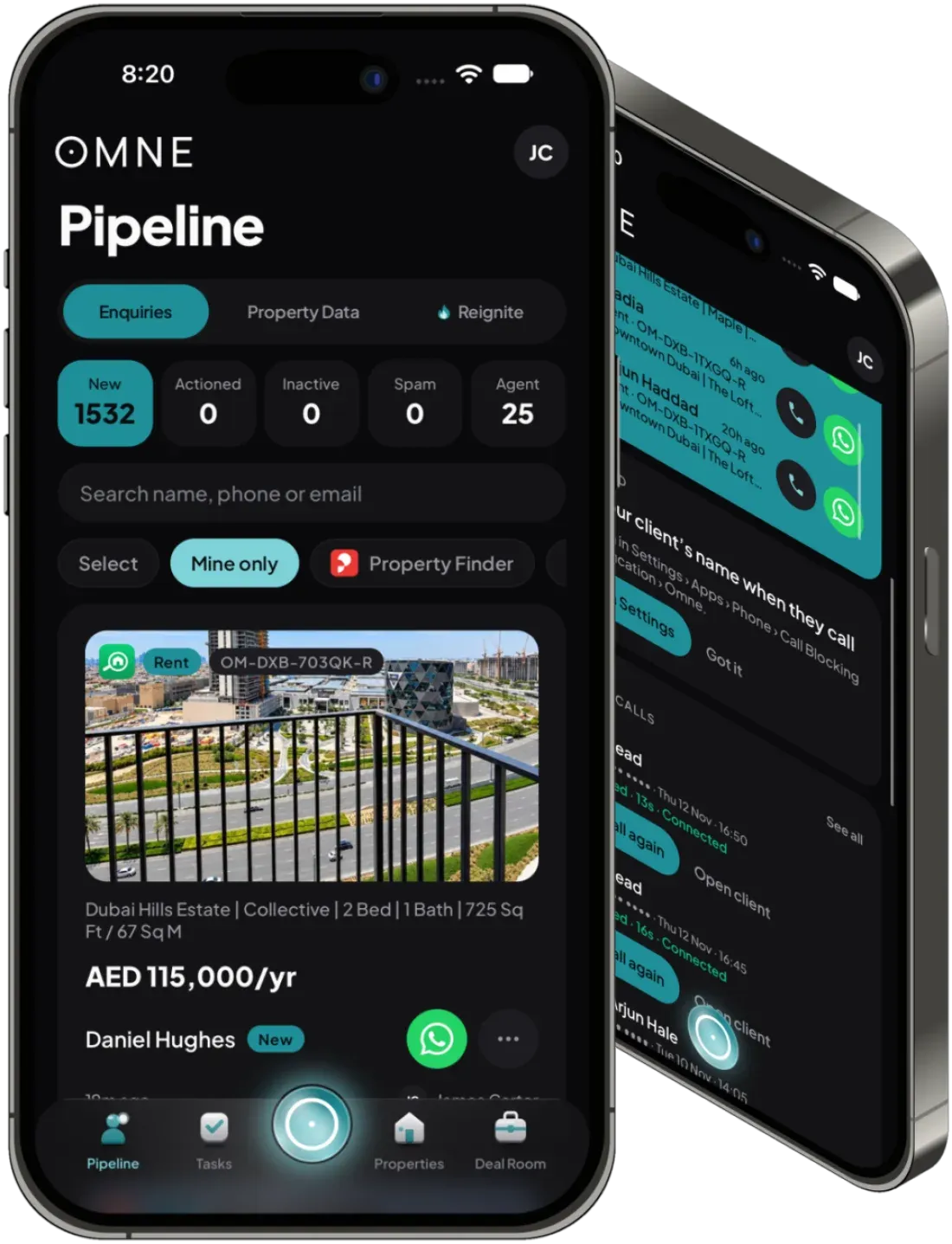
- New enquiries, one tap awayFresh portal leads sit at the top of Home with Call and WhatsApp buttons. Filter by portal, sale or rent, or only your own.
- Work This Lead, step by stepRespond, chase, qualify, book the viewing and set the next task in one guided flow.
- Calls that count themselvesTap to call through your own phone and OMNE asks how it went when you hang up. Click a number on your desktop and it rings out on your phone.
- Know who's callingCaller ID on iPhone shows your client's name before you answer. On Android, missed calls from clients show on Home.
- Viewings without the back-and-forthBook, confirm and complete viewings, get directions in your maps app and record the feedback on the way back to the car.
- Re-ignite on the goQuiet clients arrive as tasks. Claim one from your team or the general pool and record the outcome as you tick it off.
Every unit, owner and deal, wherever you're standing
In the lobby, at the door or in the car: look up the building, open the listing and move the deal on without opening a laptop.
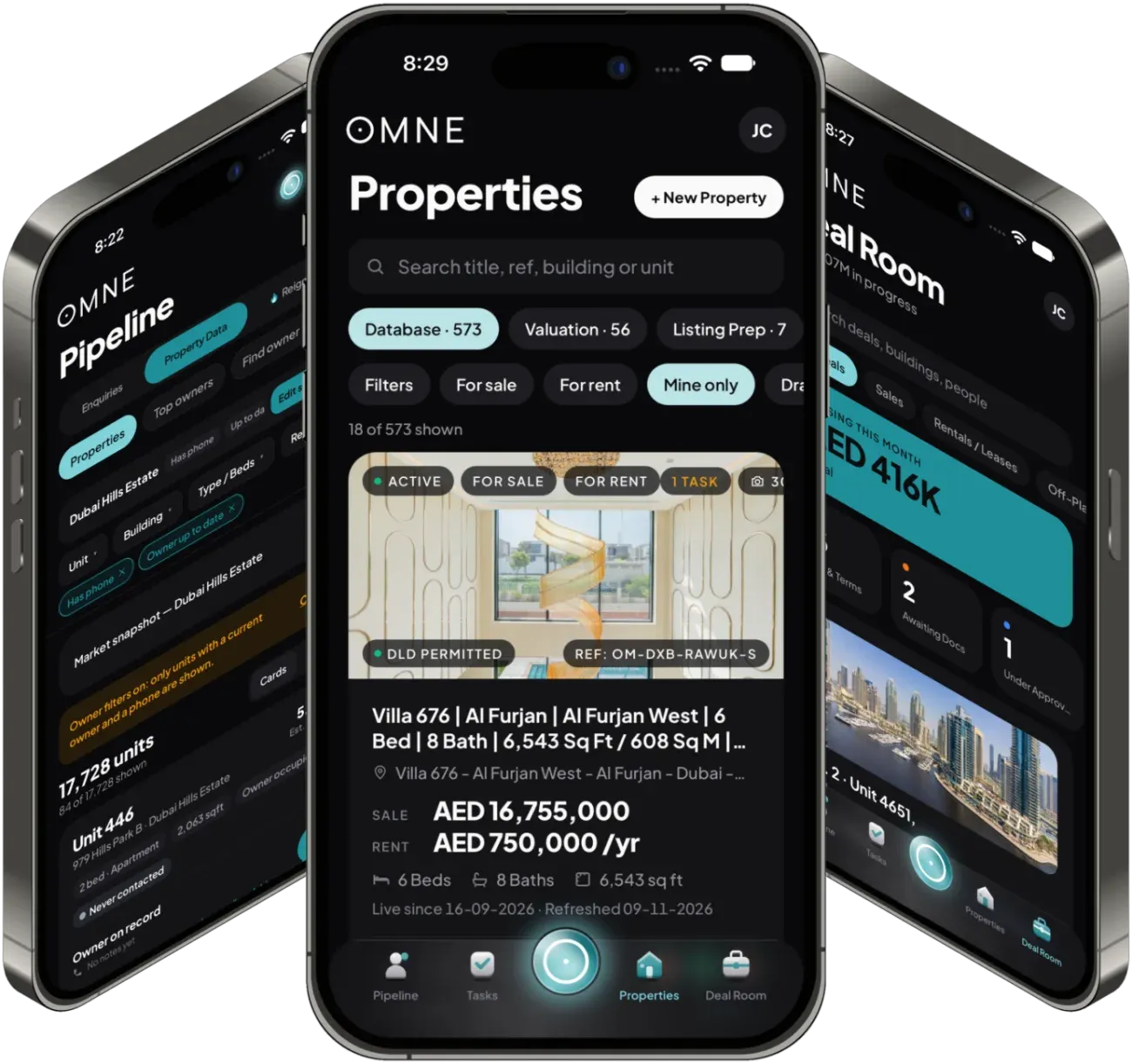
- Property Data in your handSearch a building or community, see owners, units and the market snapshot, and log a call with a do-not-call check first.
- Reports owners actually openSend an owner a private report link by WhatsApp or email straight from the unit.
- Your stock, with the photosPrices, permit status and live-since dates on every card. Add documents straight from the camera.
- OMNE Check-in at the doorCheck in at a property and OMNE confirms you were there by GPS.
- Brochures in secondsShare links with a password, an expiry and a watermark, through WhatsApp, email or your phone's share sheet.
- The Deal Room, liveYour deals by stage. Accept, counter or reject offers, upload documents and follow milestones.
OMNE Studio: build on the big screen, share from your pocket
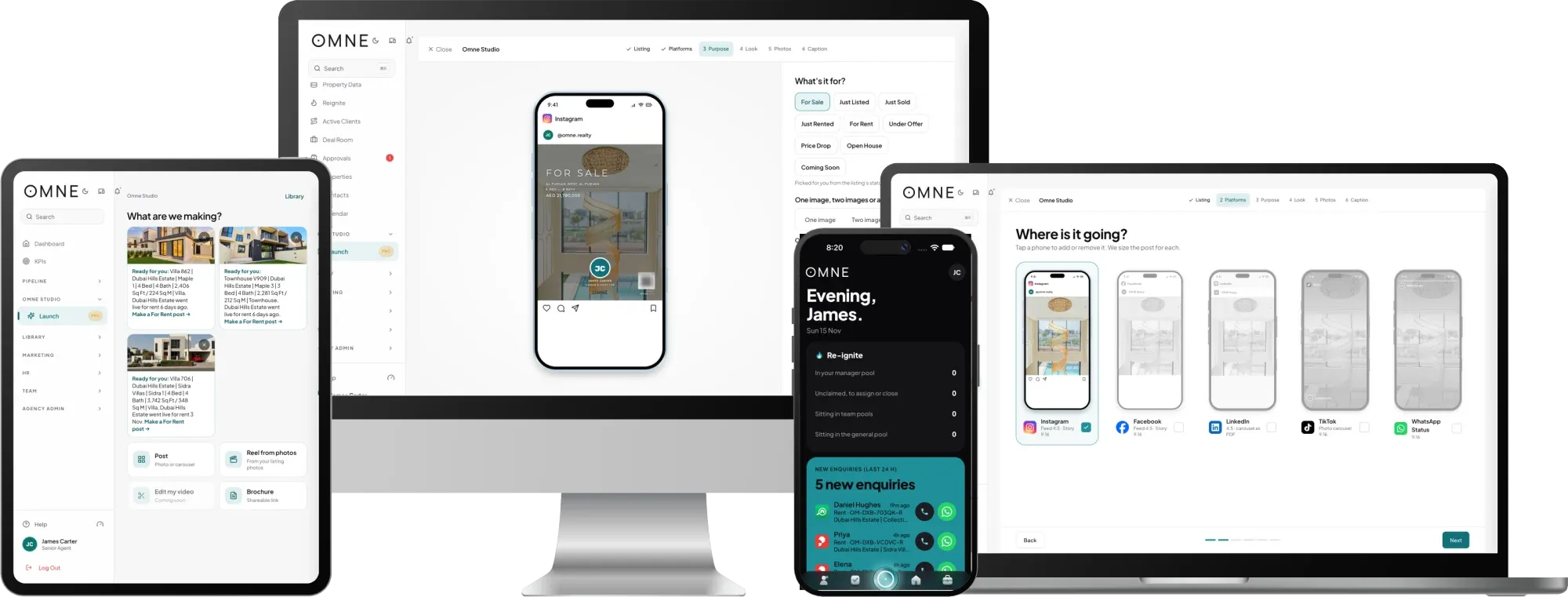
Studio on your desk does the heavy lifting: your listing, your photos and your agency's look go into posts sized for every platform. The phone app takes them with you, ready to share.
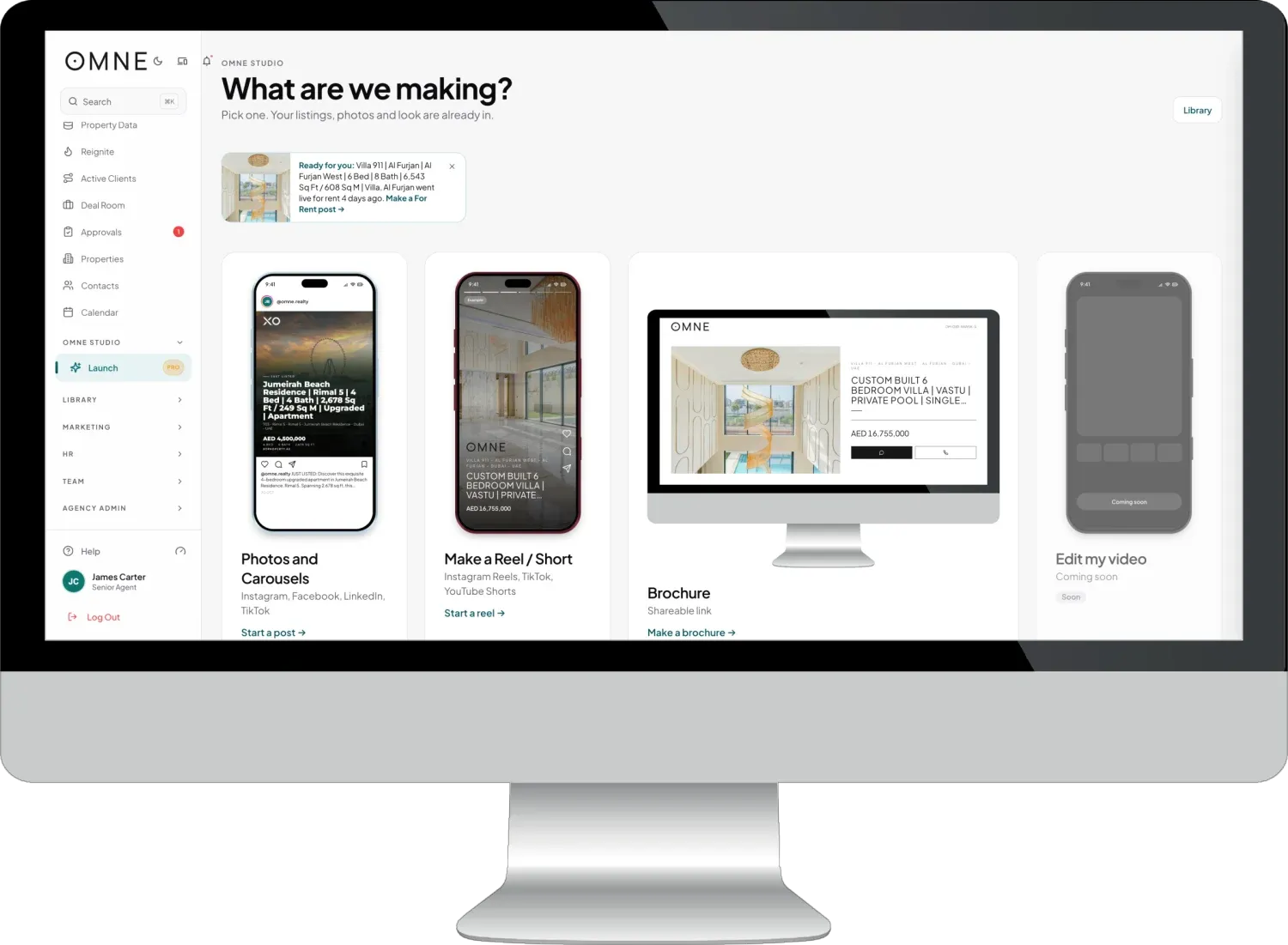
- Every platform, sized rightInstagram, Facebook, LinkedIn, TikTok and WhatsApp Status, each shown on its own phone before you share.
- The first image draws as you chooseFor Sale, Just Listed, Open House and more. Tick what goes on the image and watch it redraw.
- Reels and brochures tooTurn listing photos into a reel, or make a brochure link to send to a buyer.
- Out the door from your phoneSave a finished post to Photos or send it with your phone's share sheet.
For owners and managers: your brokerage, live, from anywhere
The numbers, the approvals and the clients slipping through the cracks, in the same app your agents use.
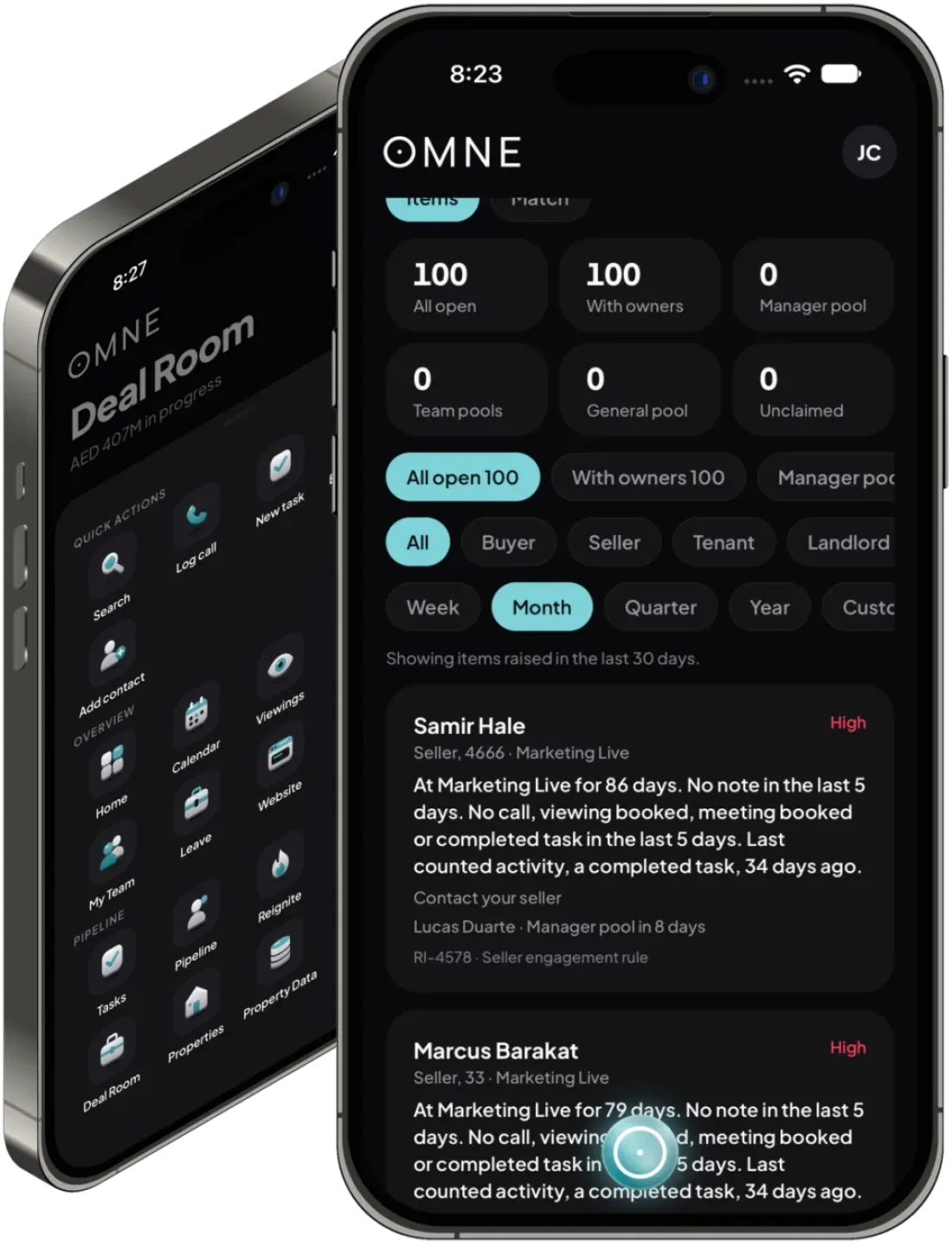
- Re-ignite, the manager's viewEvery open item and where it sits. Assign, nudge or close it from the sofa.
- KPIs and leaderboardsDashboard, scorecard, trends and leaderboards, plus team and pipeline views only managers see.
- Coaching in your pocketTargets, forecasting, the Monday room with Ask OMNE, coaching groups and one-to-one reviews you can share as a PDF.
- Approve deals on the moveApprove or send back from the Approval desk, with figures only for the roles allowed to see them.
- Leave, sortedApprove or reject leave requests and record an absence in a couple of taps.
- Your agency's switches still applyModules your agency has turned on appear on the phone, with the same roles and permissions as the web.
The office closes. OMNE doesn't.
We're putting the finishing touches to the OMNE app. When it's ready, everyone at your agency gets a link to install it. Nothing to set up, nothing to move across.
- Install from the link. We send it to everyone at your agency when the app is ready.
- Sign in as usual. Same email and password you use for OMNE today.
- Pick up where you are. Your clients, listings, tasks and deals are already there.
Questions
When can I download the OMNE app?
Soon. When it is ready, we send everyone at your agency a link to install it.
Do I need a new login?
No. You sign in with the same email and password you use for OMNE on the web, and your clients, listings, tasks and deals are already there.
Is it a website on my phone?
No. It is a native app built for the phone, with its own home screen, tabs and quick actions, caller ID on iPhone and missed calls from clients on Android.
Does it work for managers as well as agents?
Yes. Managers get the Re-ignite manager view, team KPIs and leaderboards, coaching, deal approvals and leave approvals. Roles and permissions work exactly as they do on the web.
Already an OMNE agency? Everything above is in your account today.